Support

Pages

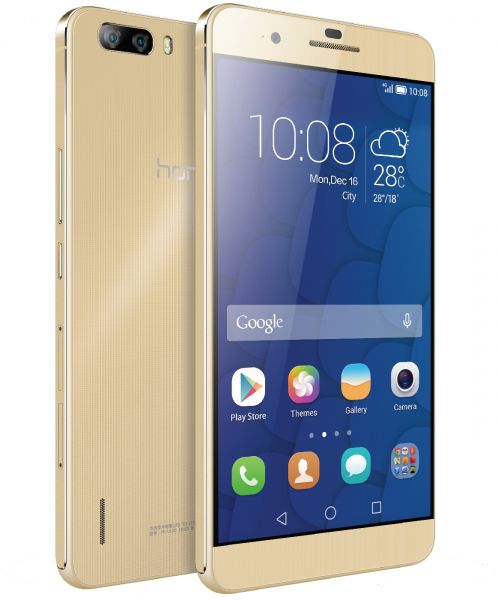
HUAWEI 6 PLUS Latest Android 6.0 Marshmallow Update

For latest flash files and firmwares please visit:https://gsmgb.blogspot.com/.

SAMSUNG C-7 SM-C7000 , SAMSUNG C-7 SM-C7000 OFFICIAL FLASH FILE

For latest flash files and firmwares please visit:https://gsmgb.blogspot.com/.

INFINIX NOTE 3 X601 OFFICIAL FLASH FILE

For more latest flash files and filashing devices setup do visit:http://mobiletoolsfree.blogspot.com/.

Friday, 6 April 2018

Vodafone VF685 MT-6572 Official Stock ROM Firmware ROM (Flash File)

On this post, we are going to share with you Vodafone VF685 official Flash file for MTK flash tool or any other MTK flashing box. we test this ROM on many phones it,s work well for any flashing tool or flashing device so download and if you like that post please share it.Before flash, you,r phone tack full backup all of you,r data after flashing all of you,r will be lose or if you have any flashing box then backup phone,s flash file in case if the phone did not boot then you can write that file.If your phone did not work will or hanging on logo then you can write that ROM on your phone after write that firmware your phone will work well.

http://www.mobiletoolsfree.net/


Firmware and device Info:
Device Name: Vodafone VF685
File Name:Vodafone_VF685_MT6572_4.4.2_ALPS.KK1.MP6.V1
File size:1.56GB
Country: Universal
Reginal Code: Universal
Product Code:-_____
Zip Fiel Size:721MB,
Android Version:4.4.2
CPU: MT6572

Check the firmware received air method (OTA)

That method (OTA) you don't need to download the full firmware from our download link you can check the update for your phone firmware automatically without any other requirements only connect your phone wifi and go to setting and then >About> then tip on software update if your phone have any updates you will find here if you smartphone has any firmware updates for here you can get latest updates after click on start downloading update when download compared you have to click on install and your phone will reboot and start updating.

    Why you need to flash your phone!
    • if your phone did not work properly and showing errors during doing something like gaming or chatting its showing errors like that (android system has stopped, Google has stopped working or any game which you love to play during the playing that game your phones says XYZ has stopped) in that type of cases first of all try to make a soft reset your phone form setting after soft reset your phone will start working.
    • After soft resetting, your phone still showing errors then make a hard reset your phone will be OK.
    • At last, after soft and hard reset you are getting the same problem then you have to flash your phone with the latest version of firmware of your smartphone then your phone will start normally and work fine.
    Tip

    Before starting the official update of your phone you must have to >
    • full backup all of your data like SMS, Contacts, pics, and videos after updating all of your data will be loose.
    • Make sure that your phone is charged up to 50%
    • MTK USB drivers must be installed on your PC.
    • Flash Tool must install on your PC.
    • The correct firmware of your model must be download.

    How to flash Vodafone VF685 with SP Flash Tool?

    • Download flash file form giving a link at the end of the page.
    • Unzip on any driver on your PC.
    • Open SP Flash file.
    • Click on scatter loading and select MT6739_Android_scatter_emmc text.
    • Select download only from the drop and down menu.
    • Then click on Download never click on format all and download phone IMEI will be loose.
    • Power off your phone and connect USB cable.
    • Wait until flashing don and your phone reboot.
    • Your phone is ready to use.
    Warning!

    That firmware update is only for Vodafone VF685  don't try to install that firmware on other models of Vodafone Android devices that can destroy your phone first try to make full reset your phone will start normally after resting if your phone did not work will then make full flash then your phone will work well.


     Download Vodafone VF685 MT-6572 Flash File For SP Flash Tool
    Share:

    Tuesday, 3 April 2018

    Chilli A555 Note 4 Official Firmware Flash File Free Download

    Chilli is one of the leading mobile phone brands in India making powerful smartphones and feature at a low price. Chilli A555 Note 4  is MTK based phone having MT6572 CPU and latest Android version 4.4 KitKat this phone have  1.2 GHz Quad Core processor powerful CPU and 8 GB built-in ROM and 512 MB and comes 1GB RAM.This flash file is a scatter text based so if you want to flash that type of flash files you must have to install SP Flash tool on your PC and also MTK all in one driver then you can flash this phone or if you have mobile repairing shop then you can used other flashing tool like Volcano box Inferno tool or Infinity CM2 for safe and perfect flashing.
    On this post we share Chilli A555 Note 4  official Flash file multi-version please chick under battery firmware version then download that version.

    http://www.mobiletoolsfree.net/

    About:Brand:                      Chilli 
    Model:                                Chilli A555 Note 4 
    Android version:                  4.4
    File Type:                           Android scatter type
    Zip file size:                        545 MB
    CPU:                                   MT6572

    Check the firmware received air method (OTA)

    That method (OTA) you don't need to download the full firmware from our download link you can check the update for your phone firmware automatically without any other requirements only connect your phone wifi and go to setting and then >About> then tip on software update if your phone have any updates you will find here if you smartphone has any firmware updates for here you can get latest updates after click on start downloading update when download compared you have to click on install and your phone will reboot and start updating.

      Why you need to flash your phone!
      • if your phone did not work properly and showing errors during doing something like gaming or chatting its showing errors like that (android system has stopped, Google has stopped working or any game which you love to play during the playing that game your phones says XYZ has stopped) in that type of cases first of all try to make a soft reset your phone form setting after soft reset your phone will start working.
      • After soft resetting, your phone still showing errors then make a hard reset your phone will be OK.
      • At last, after soft and hard reset you are getting the same problem then you have to flash your phone with the latest version of firmware of your smartphone then your phone will start normally and work fine.

      Tip

      Before starting the official update of your phone, you must have to >
      • full backup all of your data like SMS, Contacts, pics, and videos after updating all of your data will be lost.
      • Make sure that your phone is charged up to 50%
      • MTK USB USB drivers must be installed on your PC.
      • SP Flash Tool must install on your PC.
      • The correct firmware of your model must be download.

      How to flash Chilli A555 Note 4 with SP Flash Tool?

      • Download flash file form giving a link at the end of the page.
      • Unzip on any driver on your PC.
      • Open SP Flash file.
      • Click on scatter loading and select MT6572_Android_scatter_emmc text.
      • Select download only from the drop and down menu.
      • Then click on Download never click on format all and download phone IMEI will be loose.
      • Power off your phone and connect USB cable.
      • Wait until flashing don and your phone reboot.
      • Your phone is ready to use.
      Warning!

      That firmware update is only for only for Chilli A555 Note 4   don't try to install that firmware on other models of Chilli  Android devices that can destroy your phone.


        Download Chilli A555 Note 4 USB Drivers                      


        Chilli A555 Note 4 MT6572 official firmware: link 
        Share:

        Chilli H3 SC7731 Firmware/Stock Rom (Flash File)

        On this post, we are going to share with you Chilli H3 SC-7731 official Flash file we test this ROM on many phones it,s work well for any flashing tool or flashing device so download and if you like that post please share it.
        Before flash, you,r phone tack full backup all of you,r data after flashing all of you,r will be lose or if you have any flashing box then backup phone,s flash file in case if the phone did not boot then you can write that file.

        If your phone did not work will or hanging on logo then you can write that ROM on your phone after write that firmware your phone will work well.

        Chilli H3 SC-7731

        Download link for Chilli H3 SC-7731 download which CPU your phone have that firmware and also chick preloader of your phone before writing any firmware of Clone smartphones.,

        Firmware and device Info:
        Device Name: Chilli H3 SC-7731
        File Name:Chilli_H3_U7S_0724_V3.04_SC7731
        File size:1.01GB
        Country: Universal
        Reginal Code: Universal
        Product Code:-_____
        Zip Fiel Size:461 MB,
        Android Version:5.0.1

          How to flash Chilli H3 SC-7731 with SPD Flash Tool (Research Download)?

          • Download flash file form giving a link at the end of the page.
          • Unzip on any driver on your PC.
          • Open SPD Flash Tool(Research Download).
          • Click on load package and select PAC flash file.
          • Select download button.
          • Power off your phone and connect USB cable holding both of Vol keys.
          • Wait until flashing don and your phone reboot.
          • Your phone is ready to use.

        Tip

        • Before starting the official update of your phone, you must have to >
        • full backup all of your data like SMS, Contacts, pics, and videos after updating all of your data will be lost.
        • Make sure that your phone is charged up to 50%
        • MTK USB drivers must be installed on your PC.
        • The correct firmware of your model must be download.
        .

        Warning!

        That firmware update is only for only for Chilli H3 SC-7731 don't try to install that firmware on other models of Chilli Android devices that can destroy your phone first try to make full reset your phone will start normally after resting if your phone did not work will then make full flash then your phone will work well.


        Click here to Download
        Share:

        CS Tool Dongle Latest Version V1.60 Setup With USB Driver

        Free Download CS tool dongle setup from the given download link provided at the last of this page. The download link will be provided from its official sites. The CS tool helps you to services you're all over China mobile phone gadgets. The tool will come with multi features and service support for all over MTK, SPD and Cool sand mobile phones. You can flash your phone repair your mobile phone and also unlock your different gadgets using this setup. The download link for Cs tool crack is free.

        If your device is unlocked by any security code so just use this tool to unlock your phone. You can read your phones HW/SW information. If you ever have to read your full firmware so you this setup will allow you to do this and you can also check your users content of your phone. The users can also write the full firmware using this installer. You can easily format all your gadgets data. 
        CS Tool Dongle
        If you ever have to reset your phone to its original setting so this will also allow you to do this stuff. Like other flashing software this tool will also help you to write your gadgets IMEI number and you can also change this number using simple stuff. The pattern lock removing is the main feature of this installer. Read and write a flash and this will support with up to 64 GB. The flashing method is a simple way to reset your phone. Cs tool support with all China phone models.

        Features: 
        • You are able to format your phone completely.
        • You can read your phones all pattern lock directly with a selected models.
        • This will support with full firmware.
        • Users can Repair your phones IMEI.
        • Write flash any set now increased up to 64 GB 
        To flash any phone this is not a big deal but sometimes this is so risky for those who don`t have any experience in this field so just look up some articles about flashing before flashing any phone. If you make any mistake during the flashing so your phone will dead due to errors who. If you are a new flasher so you can face many problems the first time. So if you want to download the latest setup just click on the given download link and the download will starts automatically with your click.
        Download setup
        Share:

        Download Alcatel One Touch Pop 7 (7041D) Firmware (Flash File)

        Alcatel One Touch Pop is the product of TCT mobiles having MT6582 CPU  Android  Version 4.2 (Jelly Bean) flash file is scatter.txt based factory file for any chines flashing box or tool like SP Flash tool.
        This firmware file is official flash file of One Touch Pop with latest android version if your phone is restarting one Tucho logo appearing then you can flash this flash file with SP Flash tool or CM2 chines Miracle or any other chines smartphones flash tool before flash this phone you must have to install MTK latest USB drivers on your PC then your PC can flash or update this phone.
        If your phone is power on working but some time hanging when you open same time three or four apps then it's ok if you want to flash then tack full back up your data first then flash with this file your phone will work fine.


        Alcatel One Touch Pop 7 (7041D

        Firmware and device Info:
        Device Name: Alcatel One Touch Pop 7 (7041D
        File Name: Alcatel_OneTouch_POP_C7_7041D_MT6582
        File size:1 GB
        Country: INDIA
        Reginal Code: IND
        Android OS: 5.0


        Before updating your Alcatel One Touch Pop 7 (7041D at home with Odin you must have to install Samsung USB Drivers on your PC for downloading USB drivers click on the Link 1 Link 2 and install on your PC then follow the next para.


        Check the firmware received air method (OTA)

        That method (OTA) you don't need to download the full firmware from our download link you can check the update for your phone firmware automatically without any other requirements only connect your phone wifi and go to setting and then >About> then tip on software update if your phone have any update you will find here.

         Tip

        Before starting official update or Flashing of your phone, you must have to >
        • full backup all of your data like SMS, Contacts, pics, and videos after updating all of your data will be lost.
        • Make sure that your phone is charged up to 50%
        • MTK USB drivers must be installed on your PC.
        • SP Flash Tool must install on your PC.
        • The correct firmware of your model must be download.

        How to flash Alcatel One Touch Pop with SP Flash Tool?

        • Download flash file form giving a link.
        • Unzip on any driver on your PC.
        • Open SP Flash file.
        • Click on scatter loading and select MT6582_Android_scatter_emmc text.
        • Select download only from the drop and down menu.
        • Then click on Download never click on format all and download phone IMEI will be loose.
        • Power off your phone and connect USB cable.
        • Wait until flashing don and your phone reboot.
        • Your phone is ready to use.


        DOWNLOAD LINK 2
        Share:

        Monday, 2 April 2018

        Huawei Ascend Y321-U051 Official Firmware (Flash File)

        Download Huawei Ascend Y321-U051 smartphone having Mediatek CUP MT6572 firmware Update OTA update file and SP Flash tool flash file form Huawei official Mirror and other tested mirrors you can download both of files form different download mirrors.This flash file is a scatter text based so if you want to flash that type of flash files you must have to install SP Flash tool on your PC and also MTK all in one driver then you can flash this phone or if you have mobile repairing shop then you can used other flashing tool like Volcano box Inferno tool or Infinity CM2 for safe and perfect flashing.

        On this updated version of marshmallow update, all of the apps on the phone and improved security and system stability with Android 6 EMUI 2.1 mini.

        Huawei Ascend Y321-U051

        Firmware and device Info:
        Brand: Huawei
        Device Name: Huawei Ascend Y321-U051
        File Name: Huawei_Y321-U051_MT6572_V100R001C332B400
        File size:412MB
        Country: Universal
        Reginal Code: Universal
        Android OS:4.2.2
        CPU: MT6572
        Flash Fiel Type: Scatter type
        Flash Tool: SP Flash Tool 

        Check the firmware received air method (OTA)
        That method (OTA) you don't need to download full firmware from our download link you can check the update for your phone firmware automatically without any other requirements only connect your phone wifi and go to setting and then >About> then tip on software update if your phone have any update you will find here.

         Tip

        Before starting the official update of your phone you must have to >
        • full backup all of your data like SMS, Contacts, pics, and videos after updating all of your data will be loose.
        • Make sure that your phone is charged up to 50%
        • MTK USB drivers must be installed on your PC.
        • SP Flash Tool must install on your PC.
        • The correct firmware of your model must be download.

        How to flash Huawei Ascend Y321-U051with SP Flash tool?

        • Download flash file form giving a link at the end of the page.
        • Unzip on any driver on your PC.
        • Open SP Flash file.
        • Click on scatter loading and select MT6572_Android_scatter_emmc tex.
        • Select download only from the drop and down menu.
        • Then click on Download.
        • Power off your phone and connect USB cable.
        • If phone starts charging then press vol down key as boot key.
        • Wait until flashing don and your phone reboot.
        • Your phone is ready to use.

        Official update link 
        Share:

        Nokia X7-00 RM-707 Latest Firmware V111.040.1511

        Nokia X7-00 one of the best phone Nokia ever made and that was one of most advanced phone at the age today we are going to share with you the latest version of flash files pack for Nokia x7-00 if you found your old Nokia phone and you need to flash it then you can write that flash files package and your phone will be ok after write that files.
        The latest version of Nokia X7-00, RM-707 flash files packs latest Version RM-707 For India which is the final version for all type of Nokia flashing devices just select model no and files will auto added on flash tab three basic files of Nokia C7 RM-675 prd.rofs2.fpsx, prd.core.fpsx, uda.fpsx files.
        On this flash files pack we give the full flash files Pack for your region so if you want to download Nokia C6-01, RM-601 flash files pack then you can download this pack easily just clicking on Download Link
        We share three working links for easy to download also share old version files if you want to install an old version of flash files or if you want to change language file then select PPM file to change the language. 

        So download and enjoy the latest version of flash files for Nokia Nokia Nokia C6-01, RM-601.

        http://www.mobiletoolsfree.net/


        Firmware info:
        Device Name: Nokia X7-00, RM-707
        File Name: Nokia X7-00_RM-707_V111.040.1511
        File size:491MB
        Country: INDIA
        Reginal Code: IND
        Product Code:05FD9D4
        Zip Fiel Size:286 MB,
        Flash Files Version:111.040.1511_001


        You can easily use any flash tool to flash your phone and install the firmware on your Nokia X7-00, RM-707 mobile phone. You can flash this phone with Infinity Nokia Best or ATF box or UFS Multi flashing tool flash your phone easily. To install the flash file on your phone the method is very simple and easy but always remember that the flashing is a risky method of flashing your phone in case during the flashing phone stop responding for flashing device then your phone can be death and one more point before flash any phone tack back up all of your data after flashing all of your data will be lost.


         Tip

        Before starting the official update of your phone, you must have to >

        • full backup all of your data like SMS, Contacts, pics, and videos after updating all of your data will be lost.
        • Make sure that your phone is charged up to 50%
        • Nokia USB drivers must be installed on your PC.
        • Any Nokia Flashing tool or Box Must be installed on your PC.
        • The correct firmware of your model must be download.

        How to flash Nokia X7-00 RM-707 phone?

        Nokia X7-00 based phone so if you want to flash this phone then you need to select BB5 band on you flashing tool then select RM-707 then one by one flash files on the tab then connect USB flashing cable with your phone then flash.

        Before flashing if you have data on your phone then tack a backup then flash your phone flashing is erased all of your data from the phone then if your phone is alive then back up your data first then flash.

        Warning!

        That firmware update is only for only for Nokia X7-00, RM-707 don't try to install that firmware on other models of Nokia devices that can destroy your phone.


        Download
        Share:
        CLOSE

        Like Us On Facebook

        Unordered List

        Blogger Tips And Tricks