Support

Pages

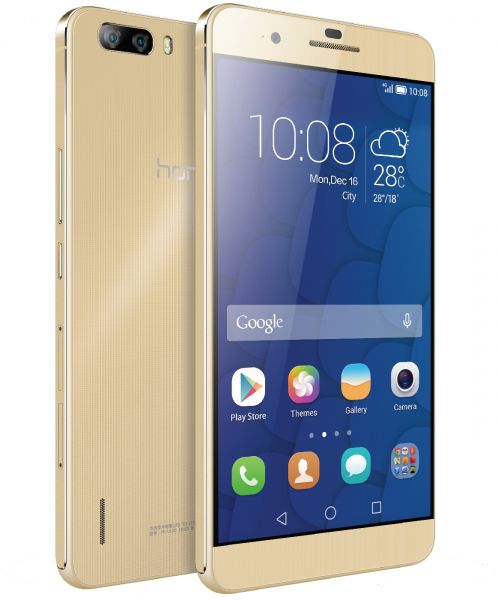
HUAWEI 6 PLUS Latest Android 6.0 Marshmallow Update

For latest flash files and firmwares please visit:https://gsmgb.blogspot.com/.

SAMSUNG C-7 SM-C7000 , SAMSUNG C-7 SM-C7000 OFFICIAL FLASH FILE

For latest flash files and firmwares please visit:https://gsmgb.blogspot.com/.

INFINIX NOTE 3 X601 OFFICIAL FLASH FILE

For more latest flash files and filashing devices setup do visit:http://mobiletoolsfree.blogspot.com/.

Showing posts with label SPD. Show all posts

Thursday, 20 September 2018

Itel A13 Plus SPD 7731 Stock ROM Firmware (Flash File)

Itel is one of the leading mobile phone brands in Africa making powerful smartphones and feature at a low price. Itel A13 Plus is SPD based phone having SPD sc-7731 CPU and latest Android version 6.0 this phone has 1.3 GHz Dual Core processor powerful CPU and 8GB  built-in ROM and 1 GB RAM.On this post, we are going to share with you  Before flash, you,r phone tack full backup all of you,r data after flashing all of you,r will be lose or if you have any flashing box then backup phone,s flash file in case if the phone did not boot then you can write that file. If your phone did not work will or hanging on logo then you can write that ROM on your phone after write that firmware your phone will work well.
Itel A13 Plus SPD 7731 Stock ROM Firmware (Flash File)

Itel A12 SC7731 Download link for your phone have that firmware and also chick preloader of your phone before writing any firmware of Clone smartphones.,

Firmware and device Info:

Brand: Itel
Device Name: Itel A13 Plus
File Name: Itel_A13_Plus_V005_20171116_SPD
File size:1.64 GB
Country: Universal
Reginal Code: Universal
Product Code:-_____
Zip Fiel Size:929 MB,
Android Version:6.0
CPU: SC-7731
Firmware:: Download 
USB Drivers:: Download 
Flash Tool:: Download 

Check the firmware received air method (OTA)

That method (OTA) you don't need to download the full firmware from our download link you can check the update for your phone firmware automatically without any other requirements only connect your phone wifi and go to setting and then >About> then tip on software update if your phone have any updates you will find here if you smartphone has any firmware updates for here you can get latest updates after click on start downloading update when download compared you have to click on install and your phone will reboot and start updating.

Why you need to flash your phone!

    When you flash or hard reset your smartphone or another android device it removes all the case of our phone and makes it fresh. Besides, while browsing the internet, or share data via wifi or Bluetooth our phone can be get affected by malware. When you flash your device, during the flashing all the old data will be removed and the malware from your device also removed. There are some apps you have sometimes installed from unauthorized sites or clicking on adds while doing something online on free apps then it will be difficult to uninstall from your device. These apps also decrease the space of your phone memory. In this case, you need to flash your device. Many software on a mobile phone has the expiration date. Every year the company brings the update of the mobile software. So, it is essential to update the software to keep the phone alive and up to date most of the mobile phone brands give updates of there smart devices to look like a new one. Thus flashing makes your phone life extended. It also increases the battery timing.
    • if your phone did not work properly and showing errors during doing something like gaming or chatting its showing errors like that (android system has stopped, Google has stopped working or any game which you love to play during the playing that game your phones says XYZ has stopped) in that type of cases first of all try to make a soft reset your phone form setting after soft reset your phone will start working.
    • After soft resetting, your phone still showing errors then make a hard reset your phone will be OK.
    • At last, after soft and hard reset you are getting the same problem then you have to flash your phone with the latest version of firmware of your smartphone then your phone will start normally and work fine.

      How to flash Itel A13 Plus SC7731with SPD Flash Tool (Research Download)?

      • Download flash file form giving a link at the end of the page.
      • Unzip on any driver on your PC.
      • Open SPD Flash Tool(Research Download).
      • Click on load package and select PAC flash file.
      • Select the download button.
      • Power off your phone and connect USB cable holding both of Vol keys.
      • Wait until flashing don and your phone reboot.
      • Your phone is ready to use.

    Tip
    • Before starting the official update of your phone, you must have to >
    • full backup all of your data like SMS, Contacts, pics, and videos after updating all of your data will be lost.
    • Make sure that your phone is charged up to 50%
    • MTK USB drivers must be installed on your PC.
    • The correct firmware of your model must be download.

    Warning!

    That firmware update is only for only for Itel A13 Plus  don't try to install that firmware on other models of 
    Itel Android devices that can destroy your phone first try to make full reset your phone will start normally after resting if your phone did not work will then make full flash then your phone will work well.
    Share:

    Download Itel A12 Official Firmware (Flash File) Free

    Itel is one of the leading mobile phone brands in Africa making powerful smartphones and feature at a low price. Itel A12 is SPD based phone having SPD sc-7731 CPU and latest Android version 6.0 this phone has 1.3 GHz Dual Core processor powerful CPU and 8GB  built-in ROM and 1 GB RAM. On this post, we are going to share with you  Before flash, you,r phone tack full backup all of you,r data after flashing all of you,r will be lost or if you have any flashing box then backup phone,s flash file in case if the phone did not boot then you can write that file. If your phone did not work will or hanging on logo then you can write that ROM on your phone after write that firmware your phone will work well.
    Download Itel A12 Firmware (Flash File)

    Itel A12 SC7731 Download link for your phone have that firmware and also chick preloader of your phone before writing any firmware of Clone smartphones.,

    Firmware and device Info:

    Brand: Itel
    Device Name: Itel A12
    File Name: Itel_A12_SP7731CEB_V022_20170510_6.0_SPD
    File size:1.64 GB
    Country: Universal
    Regional Code: Universal
    Product Code:-_____
    Zip Fiel Size:929 MB,
    Android Version:6.0
    CPU: SC-7731
    Firmware: Download
    USB Drivers: Download

    Check the firmware received air method (OTA)

    That method (OTA) you don't need to download the full firmware from our download link you can check the update for your phone firmware automatically without any other requirements only connect your phone wifi and go to setting and then >About> then tip on software update if your phone have any updates you will find here if you smartphone has any firmware updates for here you can get latest updates after click on start downloading update when download compared you have to click on install and your phone will reboot and start updating.

    Why you need to flash your phone!

      When you flash or hard reset your smartphone or another android device it removes all the case of our phone and makes it fresh. Besides, while browsing the internet, or share data via wifi or Bluetooth our phone can be get affected by malware. When you flash your device, during the flashing all the old data will be removed and the malware from your device also removed. There are some apps you have sometimes installed from unauthorized sites or clicking on adds while doing something online on free apps then it will be difficult to uninstall from your device. These apps also decrease the space of your phone memory. In this case, you need to flash your device. Many software on a mobile phone has the expiration date. Every year the company brings the update of the mobile software. So, it is essential to update the software to keep the phone alive and up to date most of the mobile phone brands give updates of there smart devices to look like a new one. Thus flashing makes your phone life extended. It also increases the battery timing.
      • if your phone did not work properly and showing errors during doing something like gaming or chatting its showing errors like that (android system has stopped, Google has stopped working or any game which you love to play during the playing that game your phones says XYZ has stopped) in that type of cases first of all try to make a soft reset your phone form setting after soft reset your phone will start working.
      • After soft resetting, your phone still showing errors then make a hard reset your phone will be OK.
      • At last, after soft and hard reset you are getting the same problem then you have to flash your phone with the latest version of firmware of your smartphone then your phone will start normally and work fine.


        How to flash Itel A12 SC7731with SPD Flash Tool (Research Download)?

        • Download flash file form giving a link at the end of the page.
        • Unzip on any driver on your PC.
        • Open SPD Flash Tool(Research Download).
        • Click on load package and select PAC flash file.
        • Select the download button.
        • Power off your phone and connect USB cable holding both of Vol keys.
        • Wait until flashing don and your phone reboot.
        • Your phone is ready to use.

      Tip
      • Before starting the official update of your phone, you must have to >
      • full backup all of your data like SMS, Contacts, pics, and videos after updating all of your data will be lost.
      • Make sure that your phone is charged up to 50%
      • MTK USB drivers must be installed on your PC.
      • The correct firmware of your model must be download.
      Warning!

      That firmware update is only for only for Itel A12  don't try to install that firmware on other models of 
      Itel Android devices that can destroy your phone first try to make full reset your phone will start normally after resting if your phone did not work will then make full flash then your phone will work well.
      Share:

      Monday, 9 July 2018

      Download G-Five President G10 SPD 7731 PAC Flash File (Firmware)

      G-Five is one of the leading mobile phone brands in Asia making powerful smartphones and feature at a low price. G-Five President G10 is SPD based phone having SC-7731 CPU and latest Android version 6.0 Marshmallow this phone have  1.3 GHz Dual Core processor powerful CPU and 8 GB  built-in ROM and 2GB RAM. This flash file is a PACt based so if you want to flash that type of flash files you must have to install SPD Flash tool on your PC and also SPD all in one driver then you can flash this phone or if you have mobile repairing shop then you can use another flashing tool like Volcano box Inferno tool or Infinity CM2 for safe and perfect flashing.
      On this post, we share G-Five President G10 official Flash file we test this ROM on many phones it,s work well.
      Download GFive President G10 SPD 7731 PAC Flash File (Firmware)

      Firmware and device Info:
      Device Name: G-Five President G10
      File Name: SP7731CEA_i8i_7.0_QMobile_i8i_MP_30_09_QMobile_i8i 
      File size:1.65 GB
      Country: Universal
      Reginal Code: Universal
      Zip Fiel Size:641MB,
      Android Version:6.0.

      Check the firmware received air method (OTA)

      That method (OTA) you don't need to download the full firmware from our download link you can check the update for your phone firmware automatically without any other requirements only connect your phone wifi and go to setting and then >About> then tip on software update if your phone have any updates you will find here if you smartphone has any firmware updates for here you can get latest updates after click on start downloading update when download compared you have to click on install and your phone will reboot and start updating.

        Why you need to flash your phone!

        When you flash or hard reset your smartphone or another android device it removes all the case of our phone and makes it fresh. Besides, while browsing the internet, or share data via wifi or Bluetooth our phone can be get affected by malware. When you flash your device, during the flashing all the old data will be removed and the malware from your device also removed. There are some apps you have sometimes installed from unauthorized sites or clicking on adds while doing something online on free apps then it will be difficult to uninstall from your device. These apps also decrease the space of your phone memory. In this case, you need to flash your device. Many software on a mobile phone has the expiration date. Every year the company brings the update of the mobile software. So, it is essential to update the software to keep the phone alive and up to date most of the mobile phone brands give updates of there smart devices to look like a new one. Thus flashing makes your phone life extended. It also increases the battery timing.
        • if your phone did not work properly and showing errors during doing something like gaming or chatting its showing errors like that (android system has stopped, Google has stopped working or any game which you love to play during the playing that game your phones says XYZ has stopped) in that type of cases first of all try to make a soft reset your phone form setting after soft reset your phone will start working.
        • After soft resetting, your phone still showing errors then make a hard reset your phone will be OK.
        • At last, after soft and hard reset you are getting the same problem then you have to flash your phone with the latest version of firmware of your smartphone then your phone will start normally and work fine.


        Tip

        Before starting the official update of your phone you must have to >
        • full backup all of your data like SMS, Contacts, pics, and videos after flashing all of your data will be gone.
        • Make sure that your phone is charged up to 50%
        • SPD USB drivers must be installed on your PC.
        • Flash Tool must install on your PC.
        • The correct firmware of your model must be download.
        • Chick firmware version of the battery and install that firmware.

        How to flash G-Five President G10 with SPD Flash Tool (Research Download)?

        • Download flash file form giving a link at the end of the page.
        • Unzip on any driver on your PC.
        • Open SPD Flash Tool(Research Download).
        • Click on load package and select PAC flash file.
        • Select the download button.
        • Power off your phone and connect USB cable holding both of Vol keys.
        • Wait until flashing don and your phone reboot.
        • Your phone is ready to use

        Warning!

        That firmware update is only for only for G-Five President G10 don't try to install that firmware on other models of G-Five Android devices that can destroy your phone.


        Download G-Five President G10 Official Firmware
        Download G-Five President G10 Flash Tool

        Share:

        Tuesday, 3 April 2018

        Chilli H3 SC7731 Firmware/Stock Rom (Flash File)

        On this post, we are going to share with you Chilli H3 SC-7731 official Flash file we test this ROM on many phones it,s work well for any flashing tool or flashing device so download and if you like that post please share it.
        Before flash, you,r phone tack full backup all of you,r data after flashing all of you,r will be lose or if you have any flashing box then backup phone,s flash file in case if the phone did not boot then you can write that file.

        If your phone did not work will or hanging on logo then you can write that ROM on your phone after write that firmware your phone will work well.

        Chilli H3 SC-7731

        Download link for Chilli H3 SC-7731 download which CPU your phone have that firmware and also chick preloader of your phone before writing any firmware of Clone smartphones.,

        Firmware and device Info:
        Device Name: Chilli H3 SC-7731
        File Name:Chilli_H3_U7S_0724_V3.04_SC7731
        File size:1.01GB
        Country: Universal
        Reginal Code: Universal
        Product Code:-_____
        Zip Fiel Size:461 MB,
        Android Version:5.0.1

          How to flash Chilli H3 SC-7731 with SPD Flash Tool (Research Download)?

          • Download flash file form giving a link at the end of the page.
          • Unzip on any driver on your PC.
          • Open SPD Flash Tool(Research Download).
          • Click on load package and select PAC flash file.
          • Select download button.
          • Power off your phone and connect USB cable holding both of Vol keys.
          • Wait until flashing don and your phone reboot.
          • Your phone is ready to use.

        Tip

        • Before starting the official update of your phone, you must have to >
        • full backup all of your data like SMS, Contacts, pics, and videos after updating all of your data will be lost.
        • Make sure that your phone is charged up to 50%
        • MTK USB drivers must be installed on your PC.
        • The correct firmware of your model must be download.
        .

        Warning!

        That firmware update is only for only for Chilli H3 SC-7731 don't try to install that firmware on other models of Chilli Android devices that can destroy your phone first try to make full reset your phone will start normally after resting if your phone did not work will then make full flash then your phone will work well.


        Click here to Download
        Share:

        Tuesday, 27 March 2018

        Hisense U601S ROM Firmware Flash File

        Hisense is one of the leading mobile phone brands in The World making powerful smartphones and feature at a low price. Hisense U601 is SPD based phone having SPD sc-7731 CPU and latest Android version 4.4.2. this phone has 1.3 GHz Dual Core processor powerful CPU and 8GB  built-in ROM and 1 GB RAM.

        On this post, we are going to share with you Hisense U601 SC-7731 official Flash file we test this ROM on many phones it,s work well for any flashing tool or flashing device so download and if you like that post please share it.
        Before flash, you,r phone tack full backup all of you,r data after flashing all of you,r will be lose or if you have any flashing box then backup phone,s flash file in case if the phone did not boot then you can write that file.

        If your phone did not work will or hanging on logo then you can write that ROM on your phone after write that firmware your phone will work well.

        Hisense U601

        Download link for Hisense U601 SC7731 CPU your phone have that firmware and also chick preloader of your phone before writing any firmware of Clone smartphones.,

        Firmware and device Info:
        Device Name: Hisense U601 SC7731
        File Name: Hisense_U601_150604_4.4.2_SPD
        File size:438 MB
        Country: Universal
        Reginal Code: Universal
        Product Code:-_____
        Zip Fiel Size:438MB,
        Android Version:4.4.2

        Check the firmware received air method (OTA)

        That method (OTA) you don't need to download the full firmware from our download link you can check the update for your phone firmware automatically without any other requirements only connect your phone wifi and go to setting and then >About> then tip on software update if your phone have any updates you will find here if you smartphone has any firmware updates for here you can get latest updates after click on start downloading update when download compared you have to click on install and your phone will reboot and start updating.

          How to flash Hisense U601 SC7731with SPD Flash Tool (Research Download)?

          • Download flash file form giving a link at the end of the page.
          • Unzip on any driver on your PC.
          • Open SPD Flash Tool(Research Download).
          • Click on load package and select PAC flash file.
          • Select download button.
          • Power off your phone and connect USB cable holding both of Vol keys.
          • Wait until flashing don and your phone reboot.
          • Your phone is ready to use.

        Tip

        • Before starting official update of your phone, you must have to >
        • full backup all of your data like SMS, Contacts, pics, and videos after updating all of your data will be lost.
        • Make sure that your phone is charged up to 50%
        • MTK USB drivers must be installed on your PC.
        • The correct firmware of your model must be download.
        .

        Warning!

        That firmware update is only for only for Hisense U601 SC7731  don't try to install that firmware on other models of 
        Hisense Android devices that can destroy your phone first try to make full reset your phone will start normally after resting if your phone did not work will then make full flash then your phone will work well.


        Click here to Download
        Share:

        Wednesday, 21 February 2018

        Download Intex Cloud Matte SPD 7731 Latest PAC Firmware Flash File

        On this post, we are going to share with you Intex Cloud Matte SPD 7731 official Flash file we test this ROM on many phones it,s work well for any flashing tool or flashing device so download and if you like that post please share it.
        Before flash, you,r phone tack full backup all of you,r data after flashing all of you,r will be lose or if you have any flashing box then backup phone,s flash file in case if the phone did not boot then you can write that file.


        If your phone did not work will or hanging on logo then you can write that ROM on your phone after write that firmware your phone will work well.

        Intex Cloud Matte

        Download link for Intex Cloud Matte SPD 7731 download which CPU your phone have that firmware and also chick preloader of your phone before writing any firmware of Clone smartphones.,

        Firmware and device Info:
        Device Name: Intex Cloud Matte 
        File Name: Intex_Cloud_Matte_V06_Indian_SER_20160910
        File size:1.40GB
        Country: Universal
        Reginal Code: Universal
        Product Code:-_____
        Zip Fiel Size:764MB,
        Android Version:5.0.1


          How to flash Intex Cloud Matte with SPD Flash Tool (Research Download)?

          • Download flash file form giving a link at the end of the page.
          • Unzip on any driver on your PC.
          • Open SPD Flash Tool(Research Download).
          • Click on load package and select PAC flash file.
          • Select download button.
          • Power off your phone and connect USB cable holding both of Vol keys.
          • Wait until flashing don and your phone reboot.
          • Your phone is ready to use.

        Tip

        • Before starting official update of your phone, you must have to >
        • full backup all of your data like SMS, Contacts, pics, and videos after updating all of your data will be lost.
        • Make sure that your phone is charged up to 50%
        • MTK USB drivers must be installed on your PC.
        • The correct firmware of your model must be download.
        .

        Warning!

        That firmware update is only for only for Intex Cloud Matte  don't try to install that firmware on other models of Intex Android devices that can destroy your phone first try to make full reset your phone will start normally after resting if your phone did not work will then make full flash then your phone will work well.


        Click here to Download
        Share:

        Saturday, 9 December 2017

        QMobile Bolt T400 SPD SC-7731 firmware Flash File Free Download

        On this post, we share QMobile Bolt T400 official Flash file we test this ROM on many phones it,s work well for any flashing tool or flashing device so download and if you like that post please share it.


        Before flash, you,r phone tack full backup all of you,r data after flashing all of you,r will be lose or if you have any flashing box then backup phone,s flash file in case if the phone did not boot then you can write that file.

        If your phone did not work will or hanging on logo then you can write that ROM on your phone after write that firmware your phone will work well.

        QMobile Bolt T400

        Download link for Qmobile X32 Power SC-7731 download which CPU your phone have that firmware and also chick preloader of your phone before writing any firmware of Clone smartphones.,

        About:

        Brand:                                Qmobile 

        CPU:                                   SC-7731

        Model:                            QMobile Bolt T400

        Android version:                4.4.3

        file type:                          Android scatter type

        Zip file size:                     452 MB


          How to flash [QMobile Bolt T400 SPD 7731] with SPD Flash Tool (Research Download)?

          • Download flash file form giving a link at the end of the page.
          • Unzip on any driver on your PC.
          • Open SPD Flash Tool(Research Download).
          • Click on load package and select PAC flash file.
          • Select download button.
          • Power off your phone and connect USB cable holding both of Vol keys.
          • Wait until flashing don and your phone reboot.
          • Your phone is ready to use.


        • Before starting official update of your phone, you must have to >
        • full backup all of your data like SMS, Contacts, pics, and videos after updating all of your data will be lost.
        • Make sure that your phone is charged up to 50%
        • MTK USB drivers must be installed on your PC.
        • The correct firmware of your model must be download.
        .

        Warning!

        That firmware update is only for only for QMobile Bolt T400 SPD SC-7731 don't try to install that firmware on other models of QMObiles Android devices that can destroy your phone first try to make full reset your phone will start normally after resting if your phone did not work will then make full flash then your phone will work well.

        Click here to Download
        Share:

        Thursday, 20 July 2017

        Download QMobile M95 Latest Firmware Version 1,2

        QMobile M95 is a SPD based phone having CUP of SC-7731 which is the latest CPU form SPD team with full of trouble for there user because if your phone charge low the 10% then your phone will start giving you trouble so if you want to tension free the you have to never low your phone battery then 10%.

        There are two version of PAC flash files if you have old phone of 2015 then you have to install version our you can sea the version info inside battery then install that version other version can death boot of your phone we share both of version link download that file which your phone have because it's huge file after downloading if file did't match then it will be lose of time.


        About file:

        Brand:                      QMOBILE

        Model:                      QMOBILE M95

        Android version:       5.1

        file type:                  Android pac flash file

        Zip file size:            220,531 MB


        How to flash M95 woth SPD downloader?

        • Download the zip package.
        •  Unzip the zip folder on you PC.
        • Open spd Factory Download
        • Click on load packet.
        • Select the Android-pac file.
        • click on start button.
        • wait until it don.
        • When don disconnect and enjoy. 

        Share:

        Wednesday, 7 June 2017

        Download QMOBILE W50 FLASH File For Volcano Inferno Box

        QMobile W50 XML type of flash file we read this file with volcano Inferno tool but you can write this file with any chines flashing box write as a factory flash file.
        We test this flash file on may phones it is work well if you want to flash this file with Miracle box or CM2 then you need to select boot SC7731 then you can write this flash file.we are shore your phone will work 100% OK.
        QMobile W50 flash reading image with Inferno tool


        QMobile w50


        How to flash QMobile W50 VOLCANO INFERNO FILE?
        • Download the zip package first.
        • Then Unzip the zip folder.
        • Open volcano inferno tool.
        • Click on write factory file.
        • Select boot version SC7731.
        • Select the xml flash file.
        • power off mobile and connect USB cable holding vol+ and vil- keys..
        • SPD USB CABLE DRIVERS must be install on you PC if you did not have divers click here to download drivers.
        • 8:YOU CAN ALSO FLASH THIS FILE WITH MIRACLE BOX easily and safe to write.


        DOWNLOAD
        Share:
        CLOSE

        Like Us On Facebook

        Unordered List

        Blogger Tips And Tricks